
Reference

Explore totoklsore Live Dealer Lobby

Live Dealer Lobby at totoklsore brings live baccarat, roulette, blackjack and Dragon Tiger tables into one screen, so you can choose a table without moving through separate rooms.

Live baccarat tablesRoulette layoutsBlackjack seatsDragon Tiger rounds
totoklsore Explore totoklsore Live Dealer Lobby
totoklsore Browse Live Dealer Lobby Table Formats

Browse Live Dealer Lobby Table Formats

Live Dealer Lobby combines streamed dealer tables with digital betting controls, giving you a visible table layout before each round begins. We group baccarat, roulette, blackjack and Dragon Tiger by game type so your next choice is clear. Baccarat centres on banker, player and tie selections; roulette uses its numbered wheel layout; blackjack asks you to act on your hand. Table rules,

current limits and seat status appear in the lobby before entry, helping you select a format that fits your preferred pace.

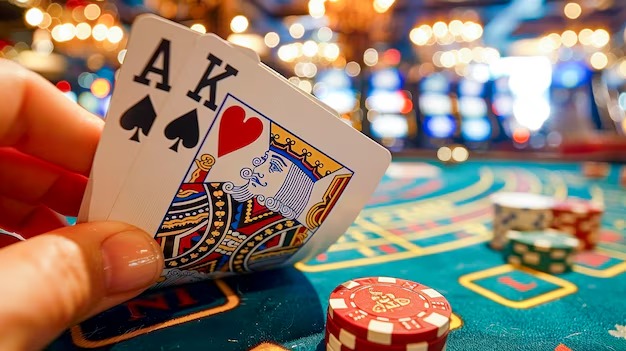
TABLE DETAILS

Discover Key Live Table Differences

Each room in our Live Dealer Lobby has its own pace, board layout and decision points.

Updated today
totoklsore Banker And Player Board
BACCARAT

Banker And Player Board

Choose banker, player or tie from a compact betting board, then follow the dealt cards on the live table feed. The lobby shows each baccarat table separately, allowing you to compare the displayed limits before entering.

totoklsore Numbered Wheel Layout
ROULETTE

Numbered Wheel Layout

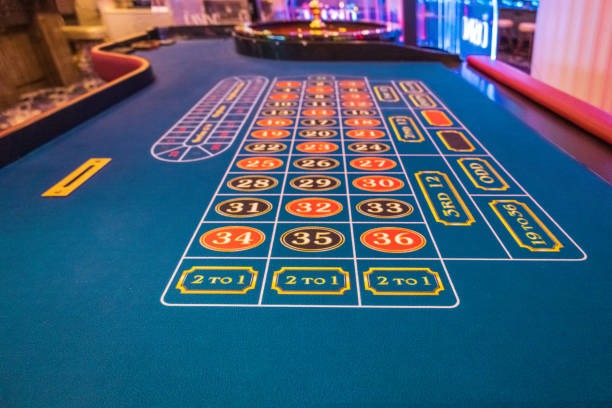
Roulette tables pair the streamed wheel with a familiar number grid. You can inspect the board and table rules first, then choose inside or outside positions through the on-screen controls when the betting window is open.

totoklsore Fast Two-Side Rounds
DRAGON TIGER

Fast Two-Side Rounds

Dragon Tiger keeps the choice focused on Dragon, Tiger or Tie while the dealer reveals one card for each side. Its shorter round structure gives you a distinct alternative to the hand decisions found at blackjack tables.

GAMEPLAY FLOW

Open Tables And Read Each Round

Entering a live table starts from its card in the lobby, where the game name and visible table limits help you decide where to go.

Table Entry Select a baccarat, roulette, blackjack or Dragon Tiger card from…
Betting Windows A countdown marks the period when the table accepts selections.
Blackjack Choices Blackjack uses a hand-based layout, so actions appear only when…
Mobile Controls On a phone, the live stream sits above the compact…
TABLE TRANSPARENCY

Check Live Dealer Lobby Details

Live table outcomes follow the rules of the selected format, not a single shared return figure across the whole lobby.

Auto-refresh hourly
totoklsore Game Type

Game Type

92%

Live dealer table games include baccarat, roulette, blackjack and Dragon Tiger.

totoklsore Volatility

Volatility

97%

Round-to-round movement differs by table and the choices you make.

totoklsore Supported Devices

Supported Devices

96%

Use a current mobile browser or desktop browser to open the live stream and table controls.

totoklsore Access Region

Access Region

95%

Live Dealer Lobby access in Indonesia depends on local law.

RTP percentages are informational reference values from provider documentation. Actual session outcomes vary.

PHONE TABLE VIEW

Switch To Live Tables On Mobile

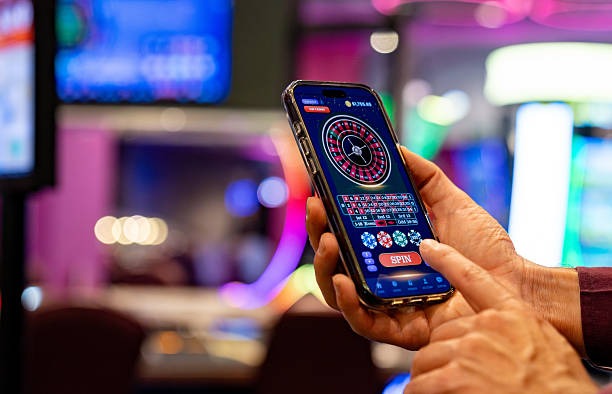
Mobile entry keeps the dealer feed, betting countdown and table controls close together, so you can follow a live baccarat or roulette round without a separate download.

Browser-based table entry
Dealer feed above controls
Back path to table cards
Portrait and landscape views
totoklsore mobile gaming
TABLE HELP PATH

Get Help During Live Table Access

A stalled table should not leave you guessing about the next step. Use the account help path nearest the live lobby when the stream does not open, a round display needs checking…

Stream Not Opening If the dealer feed remains blank, return to Live Dealer Lobby and reopen the same table card. Check your connection and current browser first, then use account help with the table name and approximate time if the issue continues.
Round Display Check When you need clarification on a completed round, note the table name, result shown and time displayed in the room. Send those session details through the account help path so we can identify the relevant live-table record.
Verification Block If account access stops before the lobby opens, complete the clear phone-verification step shown in your account area. Use the same help path if the confirmation does not arrive or the live-table entry remains unavailable afterward.
FAIR TABLE SIGNALS

Check What Supports Each Live Round

Live Dealer Lobby gives you visible cues for checking how a table operates before you join it.

Live Dealer Feed

The active table shows the dealer and the round progression through its live feed. This allows you to follow the dealing sequence in the room itself rather than relying only on a result label after the round closes.

Visible Table Rules

Rules are displayed at the selected table so you can check the relevant game structure before participating. Baccarat selections, roulette positions, blackjack hand actions and Dragon Tiger sides are not presented as interchangeable rules.

Displayed Limits

Each table card and room shows its available limits when supplied for that session. Check these figures before entering, particularly when switching between table formats, because limits can differ across active live rooms.

Round History

The table interface retains recent outcomes for the active session where shown. Treat that display as a record of completed rounds, not as a forecast, and use the table name and time if you need us to check it.

Account Verification

Phone verification is completed before account access to help protect the entry path to Live Dealer Lobby. If the confirmation step fails, resolve it through account help before attempting to open a live table again.

Session-Specific Checks

For a question about a live result, provide the table name and displayed round time through our help route. Those details let us focus on the correct session instead of treating every baccarat or roulette query as the same issue.

LOBBY COMPARISON

Compare Live Tables With Other Rooms

Live Dealer Lobby is for table formats with a dealer feed and timed betting windows, while our sibling game pages serve different kinds of sessions.

01

Live Dealer Lobby

Choose this room for dealer-streamed baccarat, roulette, blackjack and Dragon Tiger. You enter a named table, read its rules and limits, then use the matching board during a timed betting window.

02

sihojitu

sihojitu is reached through its own game entry rather than the live table cards. It is separate from the dealer-feed format, so return to Live Dealer Lobby when you want a visible baccarat, roulette or blackjack table.

03

nagabolalink

nagabolalink has a distinct game-room path and does not replace the live dealer selection screen. Use the live lobby when the table layout, dealer stream and round countdown are the features you want to follow.

04

rocket168

rocket168 is presented as a separate title with its own session flow. Live Dealer Lobby differs by putting active table cards first, letting you compare baccarat, roulette, blackjack and Dragon Tiger before entry.

05

bingo168

bingo168 uses its own room structure, while the live lobby is organised around dealer tables and displayed table rules. Switch back to the live section when you prefer timed rounds with a dealer feed in view.

06

Fish Hunter

Fish Hunter is a separate game category with a different screen and mechanics. Live Dealer Lobby is the relevant choice for table-based rounds, where the active dealer, countdown and betting positions remain visible together.

07

Casino Table Choice

Use Live Dealer Lobby for a table card that states the game format and available limits before you enter. Use sibling pages when you specifically want their individual game mechanics instead of live baccarat or roulette action.

LIVE LOBBY POINTS

Browse Six Live Dealer Highlights

The live lobby is built around what you need at the point of table selection: the game format, the active dealer view, the betting window and a clear…

Table Cards Each active card identifies the live game room before entry…
Dealer Video A live dealer feed anchors the selected table room, showing…
Round Countdown The countdown shows when a table is accepting choices and…
Rule Panels Open the table rules before participating to see the mechanics…
Return To Lobby Use the visible back route to leave one live room…
Phone Verification Complete phone verification before account access so the live-table path…

Browse Live Dealer Lobby Questions

These answers cover the practical points you may check before entering Live Dealer Lobby: table formats, account access, mobile controls and session support. We keep the focus on live dealer rooms, where a dealer feed and timed betting board shape each round. Read the relevant table rules once you enter, because the details for baccarat, roulette, blackjack and Dragon Tiger are shown separately. Availability in Indonesia depends on local law.

The totoklsore Live Dealer Lobby is the section for streamed baccarat, roulette, blackjack and Dragon Tiger tables. You choose a table card, open its room, read the displayed rules and limits, then use the digital betting board during the active round.

Complete the phone-verification step required for account access, then open the casino area and select Live Dealer Lobby. Choose an active table card to enter its room. If access stalls before the cards appear, use the account help path.

Live Dealer Lobby contains baccarat, roulette, blackjack and Dragon Tiger table formats. Each has a separate room layout: baccarat shows banker, player and tie choices, roulette shows number positions, blackjack shows hand actions, and Dragon Tiger uses two-side selections.

Yes, you can open Live Dealer Lobby through a current mobile browser without a separate download. The dealer feed, countdown and compact betting controls appear in the table room, while the back control lets you return to the live table cards.

A table can be unavailable when its active session is not showing in the lobby or when access depends on local law. Check the table cards after account access, then use the lobby help route with the table name if you need assistance.

Record the table name, the result displayed and the approximate time of the completed round. Send those details through the account help path so we can locate the relevant live-table session. The room may also show recent outcomes for context.

Read the baccarat table rules, displayed limits and betting board before the round begins. Confirm that you understand banker, player and tie selections, then watch the countdown for the active betting window. The dealer feed shows the dealing sequence in the room.